Homes
Teleportation that feels predictable.
Named homes, permission-based limits and clear feedback for players. Useful defaults first; configuration when you need it.
Explore this feature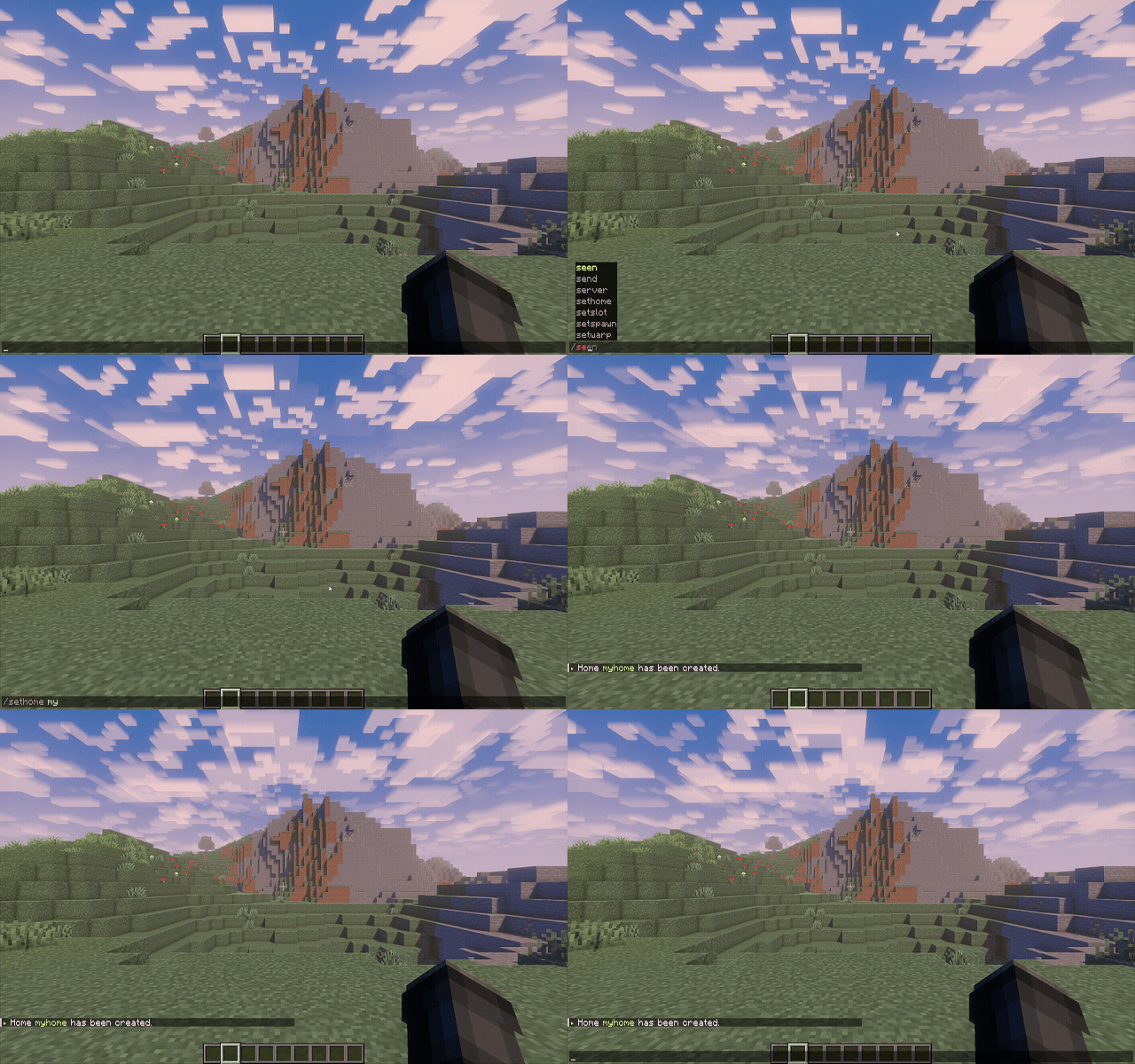
A modern essentials plugin for Paper and Folia. Commands, homes, moderation, chat and everyday server tools—designed as one coherent experience.

EternalCore replaces a patchwork of utilities with a focused foundation that is easier to operate, easier to configure and easier to extend.
Two everyday workflows, shown exactly as players and administrators use them.
Named homes, permission-based limits and clear feedback for players. Useful defaults first; configuration when you need it.
Explore this featurePrivate messages, broadcasts and admin channels with modern formatting—without assembling a small novel of nested builders.
Explore this feature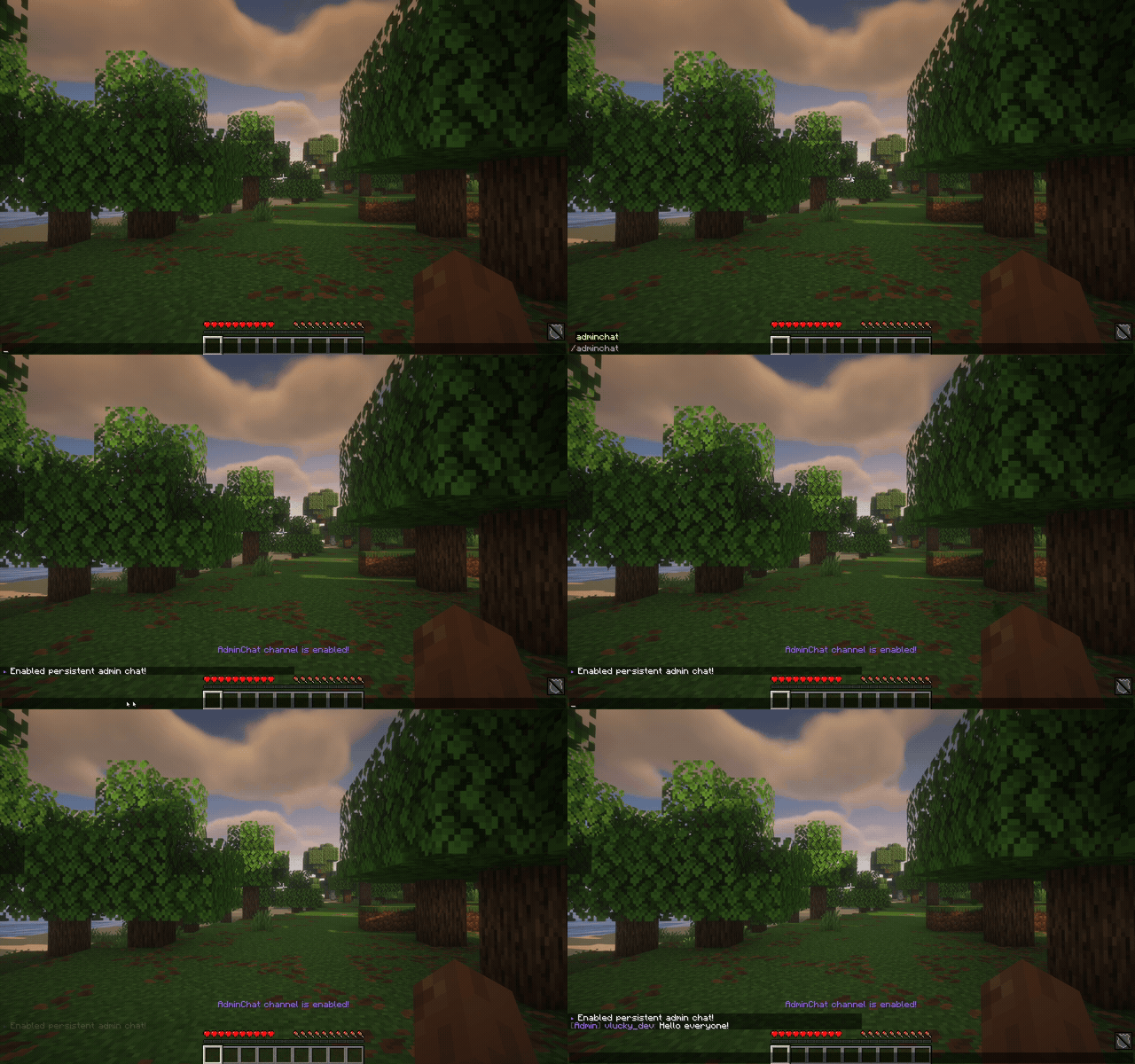
Start with useful defaults, then tune homes, chat, databases, cooldowns and server behavior from one readable configuration.
#
# This is the main configuration file for EternalCore.
#
# If you need help with the configuration or have any questions related to EternalCore, join our discord, or create an issue on our GitHub.
#
# Issues: https://github.com/EternalCodeTeam/EternalCore/issues
# Discord: https://discord.gg/FQ7jmGBd6c
# Website: https://eternalcode.pl/
# Source Code: https://github.com/EternalCodeTeam/EternalCore
#
# Whether the player should receive information about new plugin updates upon joining the server
shouldReceivePluginUpdates: true

# Language Configuration
# Settings that determine the language used within the server.
# Choose the preferred language for all messages and interactions in the plugin.
language:
  # Server Language Configuration
  # Choose the language that will be used across the entire server
  # Available options: EN (English), PL (Polish)
  language: "EN"

# Placeholders Configuration
# Settings that define various placeholders used across the plugin
placeholders:
  # Map of available placeholders and their default values
  placeholders:
    prefix: "&7"

# Database Configuration
# Settings responsible for the database connection
database:
  # Type of the database driver (e.g., SQLITE, H2, MYSQL, MARIADB, POSTGRESQL).
  # Determines the database type to be used.
  databaseType: "SQLITE"
  # Hostname of the database server.
  # For local databases, this is usually 'localhost'.
  hostname: "localhost"
  # Port number of the database server. Common ports:
  #  - MySQL: 3306
  #  - PostgreSQL: 5432
  #  - H2: Not applicable (file-based)
  #  - SQLite: Not applicable (file-based)
  port: 3306
  # Name of the database to connect to. This is the name of the specific database instance.
  database: "eternalcore"
  # Username for the database connection. This is the user account used to authenticate with the database.
  username: "root"
  # Password for the database connection. This is the password for the specified user account.
  password: "password"
  # Enable SSL for the database connection. Set to true to use SSL/TLS for secure connections.
  ssl: false
  # Connection pool size. This determines the maximum number of connections in the pool.
  poolSize: 16
  # Connection timeout in milliseconds. This is the maximum time to wait for a connection from the pool.
  timeout: 30000

# Date Configuration
# Settings for date formatting
date:
  # Date format used in the plugin
  # You can use standard Java date format patterns
  # Examples:
  # yyyy-MM-dd HH:mm:ss - 2024-12-06 14:30:00
  # dd.MM.yyyy HH:mm - 06.12.2024 14:30
  format: "yyyy-MM-dd HH:mm:ss"
  zoneId: {}

# Spawn & Join Configuration
# Settings responsible for player spawn and join behavior
spawn:
  # Delay before teleporting player to spawn (in seconds)
  # Set to 0 to teleport instantly
  spawnTeleportTime: "5s"
  # Teleport to spawn on first join (only once, when the player joins the server for the first time)
  # Example: true = teleport new players to spawn automatically
  teleportNewPlayersToSpawn: true
  # Teleport to spawn on every join (excluding first join, which is handled above)
  # Example: true = always teleport players to spawn when they log in
  teleportPlayersToSpawnOnJoin: false
  # Teleport player to spawn after death
  # This only works if 'teleportToPersonalRespawnPoint' is false, or if 'alwaysTeleportToSpawnAfterDeath' is true
  teleportToSpawnAfterDeath: true
  # Teleports player to their personal respawn point (bed, respawn anchor) after death
  # If true, overrides 'teleportToSpawnAfterDeath' unless 'alwaysTeleportToSpawnAfterDeath' is true
  teleportToPersonalRespawnPoint: true
  # Forces teleport to spawn even if player has a personal respawn point
  # This overrides 'teleportToPersonalRespawnPoint' setting
  alwaysTeleportToSpawnAfterDeath: false

# Teleport Request Configuration
# Settings for teleport requests between players
teleportAsk:
  # Time of tpa requests expire
  tpaRequestExpire: "1m20s"
  # Time of teleportation time in /tpa commands
  tpaTimer: "10s"

# Death Message Configuration
# Settings for player death messages
deathMessages:
  # Enable/disable custom death messages
  # false = use default Minecraft death messages
  # true = use custom messages from translations
  customMessagesEnabled: true

# Configuration for teleporting to a random player
# Settings for the /tprp command, allowing you to randomly teleport to any player on the server
teleportToRandomPlayer:
  # Should random teleport pick OP players too?
  teleportToOpPlayers: false

# Settings for random teleportation feature
randomTeleport:
  # Delay before teleportation
  # Time to wait before teleporting (player must stand still)
  # Movement or damage during this time cancels the teleportation
  delay: "5s"
  # Cooldown between random teleport uses
  # Time players must wait before using /rtp command again
  # Prevents spam and reduces server load
  cooldown: "1m"
  # Type of radius for random teleportation
  # WORLD_BORDER_RADIUS - radius based on the world-border size
  # STATIC_RADIUS - static radius based on the configuration below
  radiusType: "WORLD_BORDER_RADIUS"
  # Static radius configuration for random teleportation
  # Uses spawn point as center (set via /setworldspawn)
  # Only used when radiusType is set to STATIC_RADIUS
  # Ignored when using WORLD_BORDER_RADIUS
  radius:
    minX: -5000
    maxX: 5000
    minZ: -5000
    maxZ: 5000
  # Target world for random teleportation
  # Leave empty ("") to use player's current world
  # Specify world name to always teleport to that world
  world: "world"
  # Maximum attempts to find a safe teleport location
  # Higher values increase chance of finding safe spot but may cause lag
  # Recommended: 10-20 attempts
  teleportAttempts: 10
  # Hazardous blocks that players cannot be teleported onto
  # These blocks cause damage, suffocation, or other harmful effects
  # Players will never be teleported directly onto these blocks
  # Add or remove materials as needed for your server
  unsafeBlocks:
  - "BEDROCK"
  - "BUBBLE_COLUMN"
  - "CACTUS"
  - "COBWEB"
  - "FIRE"
  - "LAVA"
  - "MAGMA_BLOCK"
  - "POWDER_SNOW"
  - "SEAGRASS"
  - "SWEET_BERRY_BUSH"
  - "TALL_SEAGRASS"
  - "TNT"
  - "WATER"
  - "WITHER_ROSE"
  # Safe blocks that players can be teleported into
  # These blocks don't cause damage and allow free movement
  # Players can safely spawn in these blocks or pass through them
  # Includes air, grass, flowers, and other non-solid blocks
  airBlocks:
  - "AIR"
  - "STRING"
  - "ACTIVATOR_RAIL"
  - "ALLIUM"
  - "AZURE_BLUET"
  - "BLUE_ORCHID"
  - "CAVE_AIR"
  - "COMPARATOR"
  - "CORNFLOWER"
  - "DANDELION"
  - "DEAD_BUSH"
  - "DETECTOR_RAIL"
  - "LARGE_FERN"
  - "LEVER"
  - "LILAC"
  - "LILY_OF_THE_VALLEY"
  - "ORANGE_TULIP"
  - "OXEYE_DAISY"
  - "PEONY"
  - "PINK_TULIP"
  - "POPPY"
  - "POWERED_RAIL"
  - "RAIL"
  - "RED_TULIP"
  - "REDSTONE_WIRE"
  - "REPEATER"
  - "ROSE_BUSH"
  - "SHORT_GRASS"
  - "SNOW"
  - "STRUCTURE_VOID"
  - "SUNFLOWER"
  - "TALL_GRASS"
  - "VINE"
  - "WALL_TORCH"
  - "WHITE_TULIP"
  # Y-coordinate range for random teleportation
  # Minimum: -64 (1.18+) or 0 (older versions)
  # Maximum: 320 (1.18+) or 256 (older versions)
  # Default: 60-160 (surface level, avoiding deep caves and sky)
  # Values are automatically adjusted to world height limits
  heightRange:
    minY: 60
    maxY: 160

# Homes Configuration
# Settings for player home management
homes:
  # Default home name when no specific name is provided
  # This name will be used when player uses /sethome without specifying a name
  defaultName: "home"
  # Delay before teleportation
  # Time to wait before teleporting player to their home
  # During this time, movement or damage may cancel the teleportation
  # Format: Duration (e.g., 5s for 5 seconds, 1m30s for 1 minute 30 seconds)
  delay: "5s"
  # Maximum number of homes per permission group
  # Configure how many homes players can set based on their permissions
  #
  # Permission format: 'permission' -> max_homes
  # Players with higher permissions will get the highest limit they qualify for
  #
  # Default permissions:
  # - eternalcore.home.default: Basic players (1 home)
  # - eternalcore.home.vip: VIP players (2 homes)
  # - eternalcore.home.premium: Premium players (3 homes)
  #
  # You can add custom permission groups and limits as needed
  # Example: 'eternalcore.home.admin' -> 999
  maxHomes:
    eternalcore.home.default: 1
    eternalcore.home.vip: 2
    eternalcore.home.premium: 3

# Chat Configuration
# Settings for chat management and formatting
chat:
  # Custom message for unknown command
  replaceStandardHelpMessage: false
  # Chat delay to send next message in chat
  chatDelay: "5s"
  # Number of lines that will be cleared when using the /chat clear command
  linesToClear: 256
  # Chat should be enabled?
  chatEnabled: true

# Broadcast Configuration
broadcast:
  # Title settings
  titleFadeIn: "500ms"
  titleStay: "2s"
  titleFadeOut: "500ms"

# HelpOp Configuration
# Settings for the help operator system
helpOp:
  # Delay to send the next message under /helpop
  helpOpDelay: "1m"

# Repair Configuration
# Settings for item repair functionality
repair:
  # Repair command cooldown
  repairDelay: "1m30s"

# Format Configuration
# Additional formatting options for various features
format:
  # Separator used between list items
  separator: ", "

# AFK Configuration
# Settings for Away From Keyboard detection and management
afk:
  # Number of interactions a player must make to have AFK status removed
  # This is for so that stupid miss-click doesn't disable AFK status
  interactionsCountDisableAfk: 20
  # Time before using the /afk command again
  afkCommandDelay: "1m"
  # Should a player be marked as AFK automatically?
  # If set to true, the player will be marked as AFK after a certain amount of time of inactivity
  # If set to false, the player will have to use the /afk command to be marked as AFK
  autoAfk: true
  # The amount of time a player must be inactive to be marked as AFK
  afkInactivityTime: "10m"
  # Should a player be kicked from the game when marked as AFK?
  kickOnAfk: false

# Enchant Configuration
# Settings for enchant functionality
enchant:
  # Allow unsafe enchantments (enables custom enchants on various items)
  unsafeEnchantments: true

# Give Configuration
# Settings for item giving functionality
give:
  # Default amount of items to give when no amount is specified
  defaultGiveAmount: 1
  # Drop items on ground when player's inventory is full
  dropOnFullInventory: true

# Warp Configuration
# Settings for warp points management
warp:
  # Time of teleportation to warp
  teleportTimeToWarp: "5s"
  # Warp inventory should be enabled?
  inventoryEnabled: true
  # Warp inventory auto add new warps
  autoAddNewWarps: true
  # Options below allow you to customize item representing warp added to GUI,
  # you can change almost everything inside language files, after the warp has been added to the inventory.
  itemNamePrefix: "&8» &6Warp: &f"
  itemLore: "&7Click to teleport!"
  itemMaterial: "PLAYER_HEAD"
  # Texture of the item (only for PLAYER_HEAD material)
  itemTexture: "eyJ0ZXh0dXJlcyI6eyJTS0lOIjp7InVybCI6Imh0dHA6Ly90ZXh0dXJlcy5taW5lY3JhZnQubmV0L3RleHR1cmUvNzk4ODVlODIzZmYxNTkyNjdjYmU4MDkwOTNlMzNhNDc2ZTI3NDliNjU5OGNhNGEyYTgxZWU2OTczODAzZmI2NiJ9fX0="

# Butcher Configuration
# Settings for entity removal functionality
butcher:
  # Safe number of chunks for command execution (above this number it will not be possible to execute the command)
  safeChunkNumber: 5

# Auto Message Configuration
# Settings for automatic message broadcasting
autoMessage:
  # AutoMessage should be enabled?
  enabled: true
  # Interval between messages
  interval: "1m"
  # Draw mode (RANDOM, SEQUENTIAL)
  drawMode: "RANDOM"
  # Minimum number of players on the server to send an auto message.
  minPlayers: 1

# Jail Configuration
# Settings for player jail system
jail:
  # Default jail duration, set if no duration is specified
  defaultJailDuration: "30m"
  # Allowed commands in jail
  allowedCommands:
  - "helpop"
  - "help"
  - "r"
  - "msg"
  - "me"
  - "tell"

# Lightning Configuration
# Settings for lightning strike effects
lightning:
  # Maximum distance for the lightning strike block when using /lightning.
  # If you will look at a block that is further than this distance, the lightning will strike at the player.
  maxLightningBlockDistance: 100
  # If there is no block in the range of lightning strike, should the lightning strike the player?
  lightningStrikePlayerIfNoBlock: true

# Server Links Configuration
# Settings for server link management
serverLinks:
  # Configuration of server links displayed in the ESC/pause menu
  # Links will be visible in the game's pause menu under server information
  # Note: This feature requires Minecraft version 1.21 or newer to work properly
  sendLinksOnJoin: true
  serverLinks:
  - name: "Discord"
    address: "https://discord.gg/v2rkPb4Q2r"
  - name: "Website"
    address: "https://www.eternalcode.pl"

# Vanish Configuration
# Settings responsible for player vanish functionality
vanish:
  # Should players with eternalcore.vanish.join permission join in vanish mode without join message
  silentJoin: false
  # Should vanished players be invulnerable to damage from other players
  godMode: true
  # Give night vision effect to vanished players
  nightVision: true
  # Should vanished players be able to silently view other players' inventories?
  silentInventoryAccess: true
  # Should vanished players glow to make them visible to other staff members?
  glowEffect: true
  # Color of the glow effect for vanished players
  color: "LIGHT_PURPLE"
  # Prevent vanished players from dropping items
  blockItemDropping: false
  # Prevent vanished players from picking up items
  blockItemPickup: true
  # Prevent vanished players from hunger loss
  blockHungerLoss: true
  # Prevent vanished players from using public chat
  blockChatUsage: false
  # Prevent vanished players from breaking blocks
  blockBlockBreaking: false
  # Prevent vanished players from placing blocks
  blockBlockPlacing: false

# Back Configuration
# Settings for the /back command functionality
back:
  # Time of teleportation time in /back command.
  backTeleportTime: "5s"
  # Duration of caching last locations for /back command.
  backLocationCacheDuration: "1h"